


From Our Own Team, to the App Store
SubTranzo started as an internal idea and became a real, shipped product. Here's what we built.
Managing your subscriptions shouldn't feel like detective work. SubTranzo keeps every charge visible, every renewal expected, and every dollar accounted for, so you never have to hunt through statements again.
Upload a screenshot, a CSV, or your Apple subscriptions page, and SubTranzo pulls out every subscription automatically. Nothing to type by hand. Pro unlocks direct bank statement import for ongoing detection.
Get reminders before trials end and before payments process, with your choice of lead time. Cancel with days to spare instead of minutes to lose.
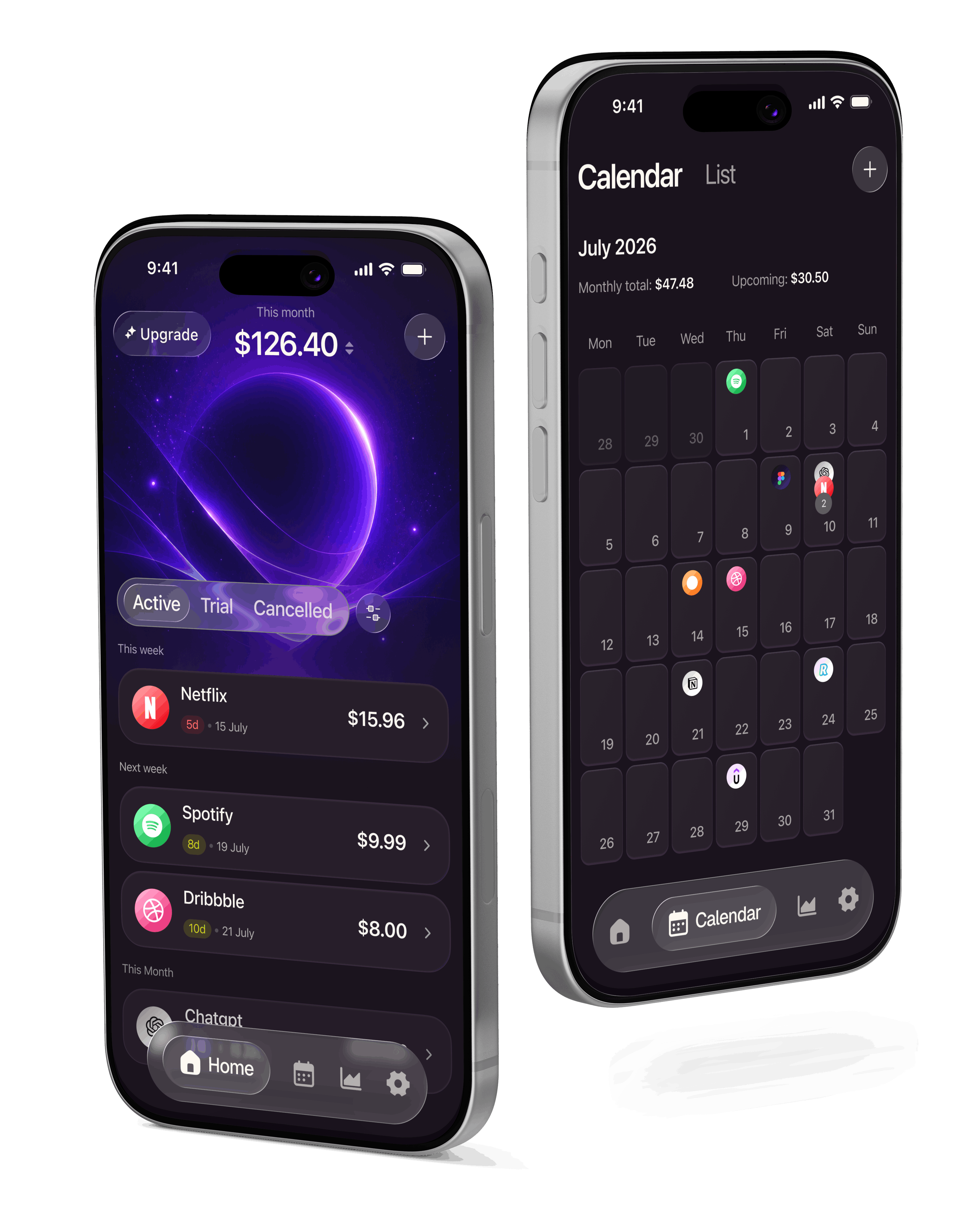
Every upcoming charge is laid out by day, week, and month. Filter by list, category, or billing cycle to find exactly what you're looking for.
A monthly calendar view and a running list view, so every past and upcoming payment sits on one timeline. Tap any day to see what's charging and how much.
A category breakdown of where your money goes each month, plus a running history so you can spot which month ran hot and by how much.
Bank connections are read-only. Anything you enter yourself is processed on your device. Your financial data is never sold, period.
SubTranzo started as an internal idea and became a real, shipped product. Here's what we built.
Trials quietly turn into bills. Subscriptions renew without warning.
Your home screen shows exactly what's charging next, and a running calendar lays out every upcoming payment so nothing sneaks past you.
Subscriptions are scattered across banks, cards, and apps, making it hard to see the full picture without digging through statements.
Smart Scan reads a screenshot, PDF, or CSV and builds your full subscription list in seconds, organized by list and category. Import from iCloud, email, or a screenshot, whichever is easiest. Pro connects your bank directly for ongoing, automatic detection.
Users often don't know how much they're spending on subscriptions each month.
A running monthly and yearly cost summary shows your total at a glance, so you always know your number before it surprises you.
Users can't easily distinguish between personal and business subscriptions.
Personal and business subscriptions live in separate lists from the start. Pro users can build their own custom lists to organize things exactly how they think about them.
Spending in different currencies makes it hard to know what you're really being charged.
Track in one currency, view in another. A Pro feature that converts every charge into the currency you actually think in.
Subscription price quietly goes up and you don't notice until months later.
Every subscription keeps its own pricing history, so the moment a price changes, you see exactly when and by how much, compared to what you started paying.
Snap a screenshot, upload a CSV or PDF, or import your App Store and email subscriptions in one tap. Pro users can connect a bank account for automatic detection. Takes under a minute.
Every subscription is detected automatically and laid out on your list.
Alerts land days before you're charged, with a final reminder before renewal, not after.
Pause reminders, cancel with one tap, or set a duration so a subscription reminds you before it quietly renews for another year.